What is Emoji Battery Icon Customize?
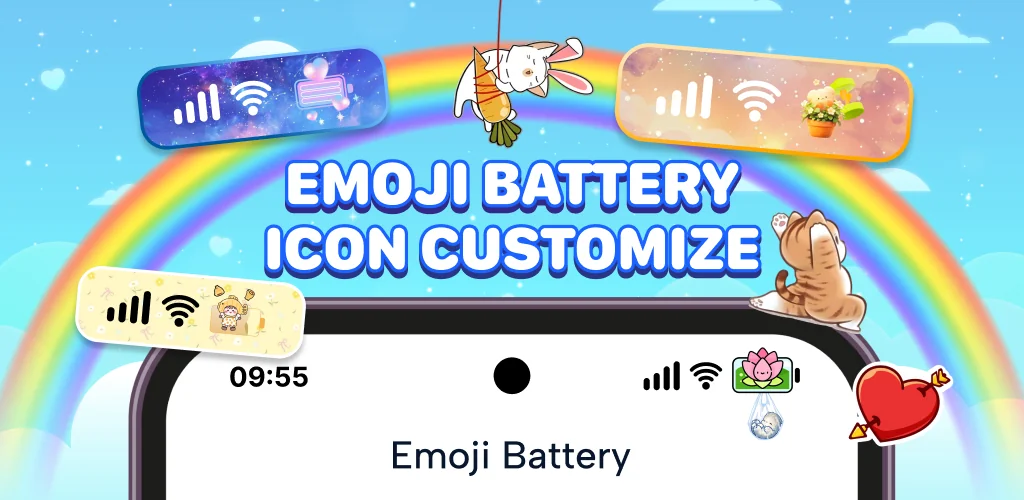
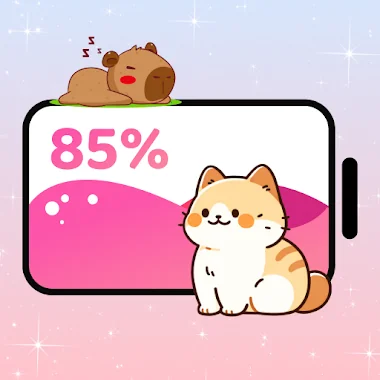
Emoji Battery Icon Customize is a status bar customization app that swaps the plain battery icon and system indicators for emoji stickers and animated graphics. Instead of a static bar at the top of the screen, you get a battery that bounces, blinks, or wiggles as the charge changes, plus a full set of icons you can reshape to match your own taste.
The app works through an overlay that sits on top of the standard Android status bar. Icons for WiFi, signal, volume, and the clock can each be recolored and resized, so a pastel-and-hearts look or a bold sparkly one are both a few taps away. Emoji stickers, whether that's a bear, a star, or a sleepy cat, get placed by dragging them directly onto the bar rather than picking from a fixed layout. There is also a switch to turn off the emoji status bar entirely while keeping the animated battery sticker, which is a small but useful option for anyone who wants the cute battery without redesigning the rest of the bar. Beyond looks, the app adds gesture shortcuts: a double-tap or swipe can open the camera, flip on Bluetooth, or pull up notifications, so the customization doubles as a shortcut layer.
Key Features:
- The battery icon animates with bouncing, blinking, or wiggling motion tied to charge level.
- Status bar icons for WiFi, signal, volume, and clock get individual color and shape adjustments.
- Emoji stickers are placed with drag and drop positioning anywhere on the bar.
- Gesture shortcuts let a swipe or double-tap trigger the camera, Bluetooth, or notifications.
- A notch customizer reshapes the top cutout into rounded edges, a heart shape, or removes it visually.
- The overlay runs through Accessibility Service permissions to draw icons and stickers over the system UI.
Customizing the notch and status bar
The notch customizer treats the top cutout as another design element rather than a fixed shape. Rounded corners, a heart outline, or a full visual removal are all options, and matching that shape to the battery sticker style is the point rather than an afterthought. Combined with the icon color and size controls, the result is a status bar that can look soft and pastel on one phone and sharp and neon on another, built from the same set of tools. None of this touches the phone's actual hardware or settings menus; it is a visual layer laid over what is already there.
Apps like Emoji Battery Icon Customize
Energy Bar takes the opposite approach, sticking to a minimalist line indicator for battery instead of decorative stickers, which suits anyone who wants a cleaner read at a glance. Super Status Bar leans further into function, with more advanced tweaks and gesture controls than the aesthetic focus Emoji Battery Icon Customize offers. Anyone choosing between the two is really choosing between a status bar meant to be looked at and one meant to be used efficiently.
Emoji Battery Icon Customize suits users who treat their phone's interface as a design surface, particularly fans of pastel or emoji-heavy aesthetics. It requires Accessibility Service access to draw stickers and battery levels over the system UI, and without granting that permission the app has nothing to show.




Share your experience with other users.