
Icon Pack Studio app cover art for Android
Icon Pack Studio Icon

Icon Pack Studio APK for Android

10M+
Free
Apr 8, 2026

Finally, an icon pack that covers every single one of your apps.

Download Icon Pack Studio APK 2.3 build 010 59MB

What is Icon Pack Studio?

Icon Pack Studio hands you the creative reins, letting you build a unique icon pack from the ground up. Think of it as your personal design studio. You can change shapes, colors, and add cool effects like shadows and textures. The best part? It automatically creates a custom icon for every single app on your device. No more awkward gaps in your theme! If you’re not feeling creative, you can browse thousands of designs uploaded daily by the community and tweak them to your liking.

To use these custom icons, you’ll need a “custom launcher,” which is an app that replaces your default home screen and allows for deeper personalization. Icon Pack Studio works beautifully with most popular launchers like Nova, Action, and Lawnchair.

Here’s what makes Icon Pack Studio a must-have:

  • Advanced Icon Editor: Easily resize, move, and adjust every part of your icon.
  • Total Customization: Play with filters, bezels, shadows, and textures for a unique look.
  • Community Creations: Download and modify thousands of user-made icon packs.
  • Import and Tweak: Love an icon pack you already have? Import it into the app and customize it further.
  • Guaranteed Coverage: Unlike other packs, it themes 100% of the apps installed on your phone.

Some launchers that come pre-installed on phones, like Samsung’s One UI Home and the Pixel Launcher, don’t support this level of customization. However, the world of third-party launchers is vast and opens up a new level of personalization.

Stop settling for a home screen that isn’t quite right. Download Icon Pack Studio and finally give your Android phone the one-of-a-kind look it deserves!
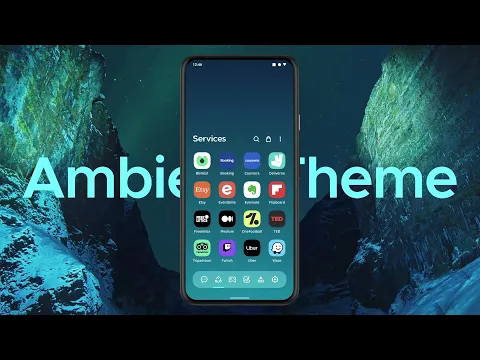
Video of Icon Pack Studio
Screenshot Icon Pack Studio 1
Screenshot Icon Pack Studio 2
Screenshot Icon Pack Studio 3
Screenshot Icon Pack Studio 4
Screenshot Icon Pack Studio 5
Screenshot Icon Pack Studio 6

Download Icon Pack Studio APK for Android

What's New in Version 2.3 build 010

- Introduced Angular Gradients 🎨
- Rebuilt settings screen with modern UI components
- Improved overall stability
- Fixed UI issues in the upload screen

Available Files

System Requirements

OS Version
Android 12L (Snow Cone) or higher
Architecture
Varies by file (Which one do I need?)
Disk Space
~80 MB free space required
RAM
1 GB
Internet
Not required
Google Services
Required
Permissions (18)
  • Internet
  • Access Network State
  • Wake Lock
  • In-app billing
  • Access Adservices Attribution

APK File Details

Package ID ginlemon.iconpackstudio
Available on Google Play
Developer Smart Launcher Team
License Free ( No Ads)
Monetization In-App Purchases
Content Rating Everyone
Interface Language
English +0

English

APK Verification & Virus Scan Results

No Virus Signature Verified Safe & Original

Virus scan: Clean (0/63) View report. This APK is free of malware and its signature matches the official developer release.

Show File Details (SHA-256, SHA-1, MD5)

SHA-1 Signature:

dfaab993de750d7b5430bbd4217472311d94f9d0

SHA-256 Hash:

7c9dc5d78d685a7ab80d08d7d4d3c3bf4ce295e7b9044b25b2bfb1763ad3fcc4

MD5 Checksum:

cd9689312c04333e2e2f960d04f41ca5

Frequently Asked Questions

Is Icon Pack Studio safe to download?

Yes, Icon Pack Studio is safe to download. The APK is scanned on every update — no malware or viruses detected. You can verify the full scan report in the Security section above.

How to install XAPK file?

XAPK is a split APK package. Standard Android installer cannot open it directly. Use 'SAI' or 'XAPK Installer' — they handle XAPK files automatically. Download the installer, open the XAPK file with it, and follow the on-screen steps. Read more

What Android version does Icon Pack Studio require?

Icon Pack Studio requires Android 12L (API 32) or higher. Optimized for Android 16 (API 36).

Is Icon Pack Studio free?

Yes, the app is free to download, but it contains in-app purchases for additional content.

How to update Icon Pack Studio to the latest version?

Download the latest APK from this page and install it over your existing version — no need to uninstall first. Your data and settings will be preserved. We update the file as soon as a new version is released.

What processor architecture does Icon Pack Studio support?

Icon Pack Studio supports arm64-v8a. This build does not support x86/x86_64 processors, so it will not run on most PC emulators. If you are unsure about your device architecture, check the Device Info section on this page.

How to enable installation from unknown sources on Android?

Go to Settings → Security (or Settings → Apps → Special access on Android 8+) and enable "Install unknown apps" for your browser or file manager. On Android 8 and above this setting is per-app, not global. Read more

If you have found any issue or are having difficulty with this page, please .

User Reviews & Ratings

Global rating(Play Store): 3.94(16.5K)
Site Rating: 5(1)
Rate this app

5.00

12345

1

Share your experience with other users.