
Smart Launcher 6 app cover art for Android
Smart Launcher 6 Icon

Smart Launcher 6 APK for Android

52M+
Free
Feb 26, 2025

A launcher for those who appreciate simplicity and reliability

Download Smart Launcher 6 APK 6.5 build 009 29MB Old versions

What is Smart Launcher 6?

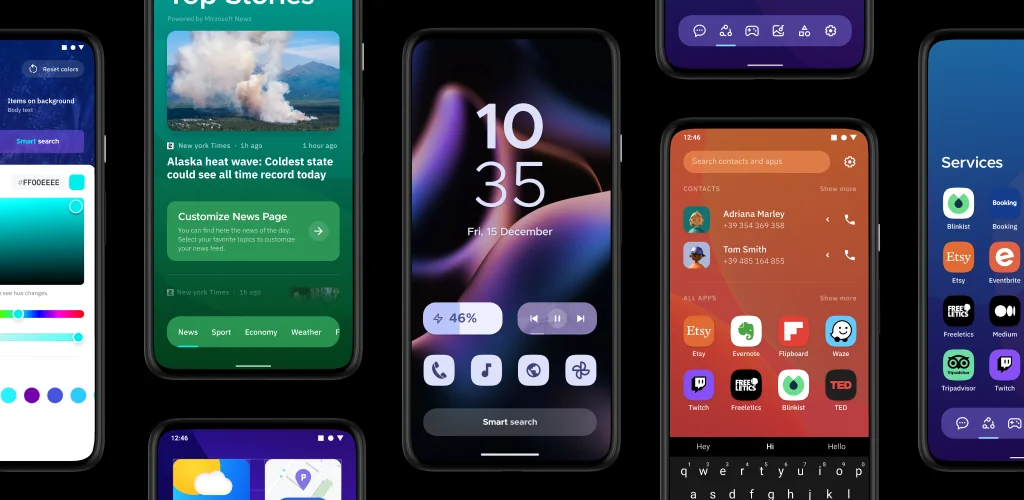
Smart Launcher 6 – this Android launcher differs significantly from similar graphical tools, primarily in its ease of visual perception and commitment to conciseness. After installation, the user won’t need to spend a long time meticulously configuring the shell; it’s ready to use immediately, and adjustments can be made on the fly with a single touch. Furthermore, this launcher is completely undemanding of mobile device resources and is entirely free of lags.

The Smart Launcher 6 interface consists of three sectors. The first is the main screen, which displays the current date and time, as well as several buttons for quick access to key options. The user can reconfigure any of the buttons to launch a specific program or an entire category of utilities. A big plus of the program is the use of adaptive icons with the ability to change not only their size but also their shape—for example, making them round, square, leaf-shaped, gear-shaped, and so on. The launcher can also change the theme color depending on the palette of the wallpapers set on the desktop—everything looks harmonious and natural.

Smart Launcher 6 implements a system of gestures and hotkeys. For example, taps can be used to turn the display on or off, and each swipe can be assigned a specific action—there are many configuration options, and every user will surely find one that is comfortable for them. If the smartphone or tablet is used by several people, then if desired, selected programs can be locked with a PIN code. In this case, access to information without knowing the PIN will be completely excluded. Perhaps this product doesn’t look as spectacular compared to other personalization tools, but it’s intuitive and pleasant to work with, which is paramount for most users.
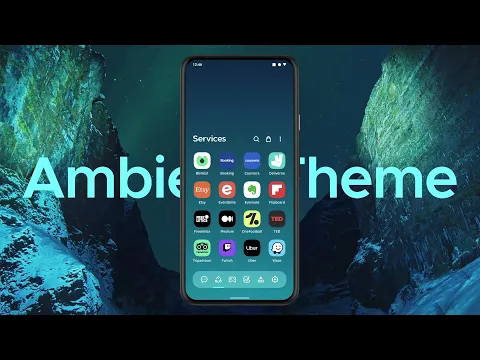
Video of Smart Launcher 6
Screenshot Smart Launcher 6 1
Screenshot Smart Launcher 6 2
Screenshot Smart Launcher 6 3
Screenshot Smart Launcher 6 4
Screenshot Smart Launcher 6 5
Screenshot Smart Launcher 6 6
Screenshot Smart Launcher 6 7

Download Smart Launcher 6 APK for Android

What's New in Version 6.5 build 009

Enjoy a fresh update packed with new customization options and fixes. You can now drag and drop or copy and paste stickers and text on your Home screen, preview feed content before adding a source, and reset widget stacks to their default position when returning Home.
This update also includes a refreshed Material You theme, AccuWeather as weather provider, improved shortcuts, better backups, and several bug fixes across the app.

https://www.smartlauncher.net/blog/the-sticky-update

Other versions

System Requirements

OS Version
Android 7.0 (Nougat) or higher
Architecture
Varies by file (Which one do I need?)
Disk Space
~40 MB free space required
RAM
1 GB
Internet
Not required
Google Services
Required
Permissions (35)
  • Internet
  • Access Network State
  • Read External Storage
  • Write External Storage
  • Read Contacts

APK File Details

Package ID ginlemon.flowerfree
Available on Google Play
Developer Smart Launcher Team
License Free ( No Ads)
Monetization In-App Purchases
Content Rating Everyone

APK Verification & Virus Scan Results

No Virus Signature Verified Safe & Original

Virus scan: Clean (0/63) View report. This APK is free of malware and its signature matches the official developer release.

Show File Details (SHA-256, SHA-1, MD5)

SHA-1 Signature:

dfaab993de750d7b5430bbd4217472311d94f9d0

SHA-256 Hash:

a5c22576a18bec9b2216551eccb081dd36fc58cdc7d4fcd84b87ae4cad9494eb

MD5 Checksum:

adb38ce9bcc66aeaa54653f9e9eda300

Frequently Asked Questions

Is Smart Launcher 6 safe to download?

Yes, Smart Launcher 6 is safe to download. The APK is scanned on every update — no malware or viruses detected. You can verify the full scan report in the Security section above.

How to install XAPK file?

XAPK is a split APK package. Standard Android installer cannot open it directly. Use 'SAI' or 'XAPK Installer' — they handle XAPK files automatically. Download the installer, open the XAPK file with it, and follow the on-screen steps. Read more

What Android version does Smart Launcher 6 require?

Smart Launcher 6 requires Android 7.0 (API 24) or higher. Optimized for Android 15 (API 35).

Is Smart Launcher 6 free?

Yes, the app is free to download, but it contains in-app purchases for additional content.

How to update Smart Launcher 6 to the latest version?

Download the latest APK from this page and install it over your existing version — no need to uninstall first. Your data and settings will be preserved. We update the file as soon as a new version is released.

Does Smart Launcher 6 require Root access?

No root is required for basic use. Smart Launcher 6 works on standard Android for CPU info, RAM, battery, sensors, and network stats. Root unlocks a small set of advanced system parameters that Android restricts by default.

What processor architecture does Smart Launcher 6 support?

Smart Launcher 6 supports arm64-v8a. This build does not support x86/x86_64 processors, so it will not run on most PC emulators. If you are unsure about your device architecture, check the Device Info section on this page.

If you have found any issue or are having difficulty with this page, please .

User Reviews & Ratings

Global rating(Play Store): 3.85(602.6K)
Site Rating: 5(1)
Rate this app

5.00

12345

1

Share your experience with other users.