
What is Panels?
Tired of endlessly swiping through screens just to launch your favorite app or toggle a setting? We've all been there, fumbling around when you just need quick access. But what if your phone could adapt to you, putting everything important right at your fingertips? That's exactly where Panels - sidebar launcher shines, transforming your Android device into a true multitasking powerhouse.
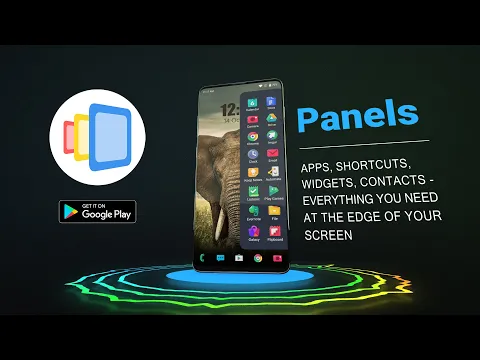
This isn't just another launcher; it's a highly customizable Android sidebar that lives on the edge of your screen. Think of it as your personal command center, ready with apps, shortcuts, contacts, and even widgets, all accessible with a simple swipe. Honestly, I was impressed by how much this boosts productivity. No more digging through menus or countless home screen pages. You get instant access, making one-hand operation genuinely practical.
What truly sets Panels - sidebar launcher apart is its incredible depth of phone customization. Unlike other edge screen tools, you're not stuck with rigid layouts. You can adjust row and column counts, resize panels, change colors, and even set unique gestures for individual apps or tools. Want a floating widget for your calculator or calendar that hovers over any app? You got it. It’s surprisingly smooth and incredibly intuitive once you start playing around.
Key Features:
- Quick Access Sidebar: Instantly launch apps, shortcuts, contacts, and widgets from a customizable edge screen.
- Floating Widgets: Open widgets in a resizable window that stays on top of other applications.
- Intuitive Gestures: Assign custom swipe gestures to trigger specific apps, panels, or actions.
- Deep Customization: Adjust panel size, position (left, right, bottom), colors, icon packs, and text sizes to match your style.
- Smart Folders: Group similar apps or shortcuts into folders for a cleaner, more organized sidebar.
- A-Z App Drawer: A single tap gives you the quickest way to find and launch any installed app.
- System & Accessibility Shortcuts: Access common system settings or accessibility functions like Home, Back, and Screenshot with a tap.
So, if you're ready to reclaim your phone's efficiency and make multitasking a breeze, give Panels - sidebar launcher a try. It’s a game-changer for anyone looking to personalize their Android experience and get things done faster.




Share your experience with other users.