Fly Go 4 Drone Camera Control app cover art for Android
Fly Go 4 Drone Camera Control Icon

Fly Go 4 Drone Camera Control APK for Android

Also known as: Go Fly Drone
1M+
Free
Jun 22, 2026

Control diverse drones, capture aerial views, and enhance flight safety.

Download Fly Go 4 Drone Camera Control APK 1.4.1 382MB

What is Fly Go 4 Drone Camera Control?

Fly Go 4 Drone Camera Control APK offers a comprehensive control solution for a variety of drones, flycams, and UAVs directly from an Android device. This application centralizes critical flight and camera functions, aiming to simplify aerial operations and enhance safety for pilots. It provides an alternative interface for managing drone flights and capturing aerial content.

What is Fly Go 4 Drone Camera Control?

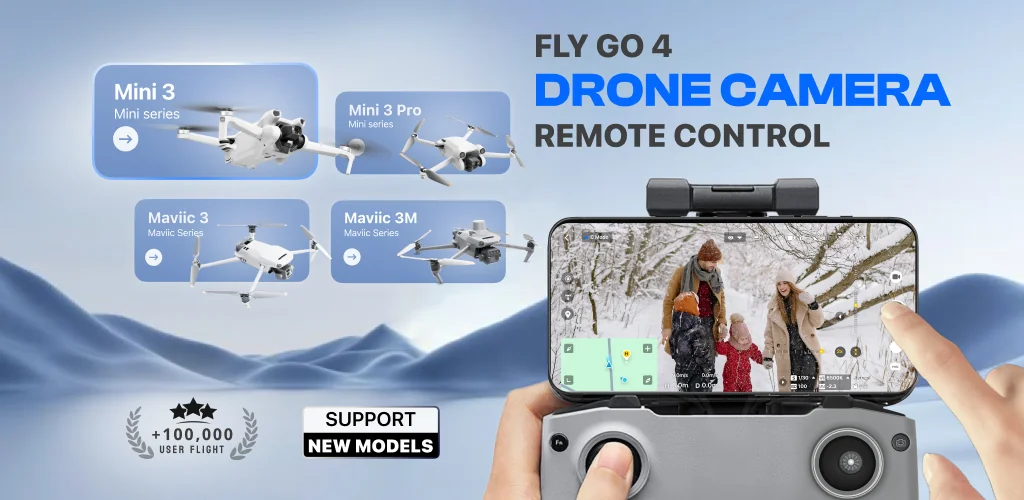
Fly Go 4 Drone Camera Control functions as a remote control application, allowing users to connect with and operate compatible drone models. It provides a real-time video feed from the drone's camera, enabling precise navigation and framing of shots. The app supports a wide array of devices, including popular models like the Matrice 350 RTK, DJI Mini 3, and DJI Mavic 3 Enterprise Series, extending its utility across different drone ecosystems. Users can manage flight parameters, access camera settings, and handle media capture directly through their smartphone.

Key Features:

  • Real-Time Camera Feed: Provides a live, lag-free video stream from the drone's camera, essential for accurate piloting and capturing high-quality aerial footage.
  • No-Fly Zone Alerts: Delivers instant notifications regarding restricted airspaces, such as those near airports or military bases, to help pilots avoid unauthorized flight areas.
  • Find My Drone: Utilizes the drone's built-in GPS tracker to assist in locating a lost or downed drone, improving recovery chances.
  • Drone Panorama Photography: Enables the capture of wide-angle panoramic images and videos directly from the drone's camera, accessible for review on the phone screen.
  • Home Point Functionality: Allows users to set a designated return-to-home point, ensuring the drone automatically navigates back to a safe landing location in scenarios like low battery or signal loss.
  • UAV Weather Forecast: Offers real-time weather updates specific to the drone's operational area, helping pilots assess conditions for safe and optimal flying.

Advanced Drone Camera and Flight Control

Beyond basic flight, Fly Go 4 Drone Camera Control integrates advanced controls for both camera operation and flight maneuvers. Pilots can fine-tune camera positioning with enhanced gimbal direction adjustment and monitor exposure levels using an on-screen exposure graph. The app includes intuitive flight modes designed to simplify complex aerial maneuvers, catering to both new and experienced pilots. After capturing footage, the Smart Media Export feature facilitates easy transfer of high-quality drone media to the user's device, supporting various file formats for subsequent editing and sharing.

Fly Go 4 Drone Camera Control vs similar drone apps

While official manufacturer applications like DJI Fly offer deep, proprietary integration for specific drone models, Fly Go 4 Drone Camera Control distinguishes itself with broader compatibility across various drone series, including both Matrice and DJI lines, within a single Android interface. Compared to other third-party solutions such as Litchi, which often prioritize advanced waypoint mission planning, Fly Go 4 Drone Camera Control places a strong emphasis on comprehensive safety features like real-time weather forecasts and no-fly zone alerts, alongside robust media management tools. It aims to provide a consolidated control experience rather than specialized mission capabilities.

This application is suitable for drone pilots seeking a versatile Android control solution, particularly those who operate multiple drone brands or prioritize enhanced safety features and efficient media handling. A notable consideration is its status as a third-party application, meaning it operates independently of official manufacturer support, and full feature access requires a subscription.
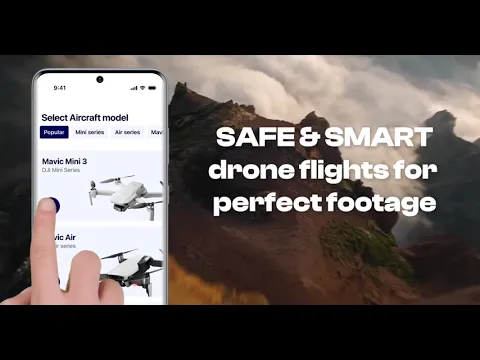
Video of Fly Go 4 Drone Camera Control
Screenshot Fly Go 4 Drone Camera Control 1
Screenshot Fly Go 4 Drone Camera Control 2
Screenshot Fly Go 4 Drone Camera Control 3
Screenshot Fly Go 4 Drone Camera Control 4
Screenshot Fly Go 4 Drone Camera Control 5
Screenshot Fly Go 4 Drone Camera Control 6
Screenshot Fly Go 4 Drone Camera Control 7

Fly Go 4 Drone Camera Control APK Download

What's New in Version 1.4.1

- Fixed crashes affecting some devices

System Requirements

OS Version
Android 8.1 (Oreo) or higher
Architecture
Varies by file (Which one do I need?)
Disk Space
~500 MB free space required
RAM
2 GB
Internet
Not required
Google Services
Required   GMS dependent

APK File Details

Package ID com.apponfire.android.drone5
Available on Google Play
Developer Apponfire Co. Ltd.
License Free
Monetization Contains Ads   In-App Purchases
Content Rating PEGI 3
Interface Language
English +16

English, Arabic, Spanish, French, Russian, Vietnamese, Italian, Chinese, German, Hindi, Japanese, Korean, Portuguese, Thai, Turkish, + 2 localizations

Required Permissions (30)
  • Requires Google Play Services to launch:
    Note: This is an original file. Unlike modded versions with no verification, it validates via your store account. Details
  • Internet
  • Access Network State
  • Read External Storage
  • Write External Storage
  • Access Fine Location

APK Verification & Virus Scan Results

No Virus Signature Verified Safe & Original

Virus scan: Clean (0/62) View report. This APK is free of malware and its signature matches the official developer release.

Show File Details (SHA-256, SHA-1, MD5)

SHA-1 Signature:

777d72f205f8f308b3eb8711ac110d1f3224cec1

SHA-256 Hash:

839dedadcc1ff380ffd2f9bb9a4ae2dbaee6fb72aaf5e75c20219eaa9088a590

MD5 Checksum:

4e0411fdfaa6f8823ffbdddfa3107219

Frequently Asked Questions

Is Fly Go 4 Drone Camera Control safe to download?

Yes, Fly Go 4 Drone Camera Control is safe to download. The APK is scanned on every update — no malware or viruses detected. You can verify the full scan report in the Security section above.

How to install XAPK file?

XAPK is a split APK package. Standard Android installer cannot open it directly. Use 'SAI' or 'XAPK Installer' — they handle XAPK files automatically. Download the installer, open the XAPK file with it, and follow the on-screen steps. Read more

What Android version does Fly Go 4 Drone Camera Control require?

Fly Go 4 Drone Camera Control requires Android 8.1 (API 27) or higher. Optimized for Android 15 (API 35).

Is Fly Go 4 Drone Camera Control free?

Yes, it is free to download and use, but it contains ads and offers in-app purchases.

Does Fly Go 4 Drone Camera Control require a license check?

Yes, this app performs a license check. You may need to have the Google Play Store installed and be logged in to verify the license.

How to update Fly Go 4 Drone Camera Control to the latest version?

Download the latest APK from this page and install it over your existing version — no need to uninstall first. Your data and settings will be preserved. We update the file as soon as a new version is released.

What processor architecture does Fly Go 4 Drone Camera Control support?

Fly Go 4 Drone Camera Control supports arm64-v8a. This build does not support x86/x86_64 processors, so it will not run on most PC emulators. If you are unsure about your device architecture, check the Device Info section on this page.

If you have found any issue or are having difficulty with this page, please .

User Reviews & Ratings

Global rating(Play Store): 4.43(29.4K)
Site Rating: 5(1)
Rate this app

5.00

12345

1

Share your experience with other users.

Download Fly Go 4 Drone Camera Control APK - Latest version

Get the official APK file for your Android device. Fast, safe, and free. Download APK