Document Reader - PDF Editor app cover art for Android
Document Reader - PDF Editor Icon

Document Reader - PDF Editor APK for Android

68M+
Free
Oct 14, 2025

One app to open everything.

Download Document Reader - PDF Editor APK 1.2.6 77MB

What is Document Reader?

Tired of juggling half a dozen different apps just to open your files? Imagine having one simple, powerful tool that handles everything from work reports to class presentations, right on your phone. Meet Document Reader - PDF Editor, the all-in-one document hub designed to make your life easier.

This incredibly lightweight app acts like a central command for all your documents. It automatically scans your device, wrangling scattered files into neat, organized folders. Forget endless scrolling and searching; finding what you need is now faster than ever. Whether it’s a PDF from a client, a Word document for school, or an Excel sheet for your budget, Document Reader - PDF Editor opens it instantly with a clean and intuitive interface. Best of all? It works perfectly offline, so you can access your files anytime, anywhere.

But it’s more than just a viewer. Check out what makes it a must-have:

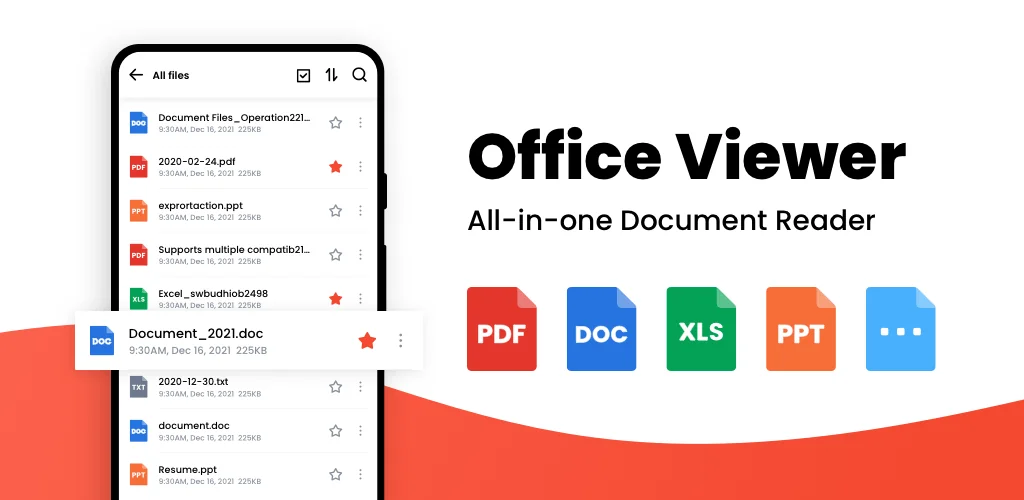
  • Universal File Support: Seamlessly open all major office formats, including PDF, DOC, DOCX, XLS, XLSX, PPT, and TXT files. It’s the only viewer you’ll ever need.
  • Smart PDF Tools: Go beyond reading. You can convert images into a professional PDF, turn a PDF page into a shareable image, or even add text directly onto a PDF file for quick notes.
  • Effortless Organization: A built-in file manager lets you browse by folder, create a “Favorites” list for important documents, and use a powerful search to pinpoint any file in seconds.

Ready to declutter your phone and streamline your workflow? Stop letting incompatible file formats slow you down. Download Document Reader - PDF Editor today and unlock a truly complete office suite that fits right in your pocket!
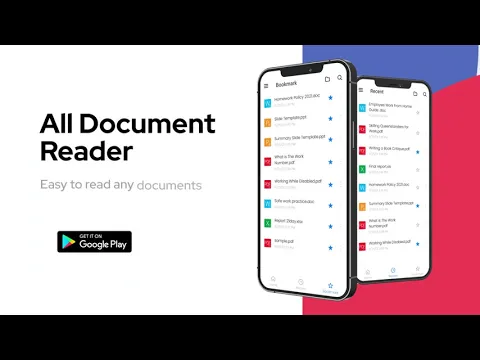
Also known as: One Read
Video of Document Reader - PDF Editor
Screenshot Document Reader - PDF Editor 1
Screenshot Document Reader - PDF Editor 2
Screenshot Document Reader - PDF Editor 3
Screenshot Document Reader - PDF Editor 4
Screenshot Document Reader - PDF Editor 5
Screenshot Document Reader - PDF Editor 6
Screenshot Document Reader - PDF Editor 7
Screenshot Document Reader - PDF Editor 8

Download Document Reader - PDF Editor APK for Android

What's New in Version 1.2.6

No official changelog provided for Document Reader - PDF Editor version 1.2.6. This update likely includes general stability improvements and bug fixes.

Available Files

System Requirements

OS Version
Android 6.0 (Marshmallow) or higher
Architecture
Varies by file (Which one do I need?)
Disk Space
~100 MB free space required
RAM
1 GB
Internet
Not required
Google Services
Required
Permissions (18)
  • Internet
  • Camera
  • Access Network State
  • Read External Storage
  • Write External Storage

APK File Details

Package ID alldocumentreader.office.viewer.filereader
Available on Google Play
Developer Simple Design Ltd.
License Free
Monetization Contains Ads   In-App Purchases
Content Rating Everyone
Interface Language
English +77

English, Japanese, Indonesian, German, Bulgarian, Thai, Chinese, Hindi, Vietnamese, Ukrainian, Polish, Korean, Romanian, Arabic, French, Turkish, Czech, Spanish, Italian, Portuguese, Hungarian, Russian, + 56 localizations

APK Verification & Virus Scan Results

Scan In Queue Signature Verified Safe & Original

Antivirus scan in queue, will be scanned soon. This APK is free of malware and its signature matches the official developer release.

Show File Details (SHA-256, SHA-1, MD5)

SHA-1 Signature:

d0d8ad8cfc5126f22b97c1e42135576e7afa0b3d

SHA-256 Hash:

9ea32c23165e703f899d1b94e1def41784e9431792cfff0fc556a36f2793f7a3

MD5 Checksum:

9200356d6f5e3f9ef39077bedd0ddc8e

Frequently Asked Questions

Is Document Reader safe to download?

Document Reader has passed a basic integrity check. A full antivirus scan is pending. You can check the current scan status in the Security section above.

How to install XAPK file?

XAPK is a split APK package. Standard Android installer cannot open it directly. Use 'SAI' or 'XAPK Installer' — they handle XAPK files automatically. Download the installer, open the XAPK file with it, and follow the on-screen steps. Read more

What Android version does Document Reader require?

Document Reader requires Android 6.0 (API 23) or higher. Optimized for Android 15 (API 35).

Is Document Reader free?

Yes, it is free to download and use, but it contains ads and offers in-app purchases.

How to update Document Reader to the latest version?

Download the latest APK from this page and install it over your existing version — no need to uninstall first. Your data and settings will be preserved. We update the file as soon as a new version is released.

What processor architecture does Document Reader support?

Document Reader supports arm64-v8a, armeabi-v7a. This build does not support x86/x86_64 processors, so it will not run on most PC emulators. If you are unsure about your device architecture, check the Device Info section on this page.

How to enable installation from unknown sources on Android?

Go to Settings → Security (or Settings → Apps → Special access on Android 8+) and enable "Install unknown apps" for your browser or file manager. On Android 8 and above this setting is per-app, not global. Read more

If you have found any issue or are having difficulty with this page, please .

User Reviews & Ratings

Global rating(Play Store): 4.73(775K)
Site Rating: 5(1)
Rate this app

5.00

12345

1

Share your experience with other users.