

GoCut app cover art for Android
GoCut Icon

GoCut APK for Android

- Effect Video Editor
Like GoCut Original
16M+
Free
Nov 13, 2025

Editor for adding neon special effects and filters to videos

Download GoCut APK 3.0.4 85MB

What is GoCut?

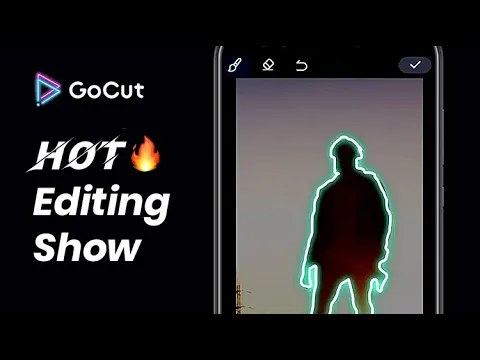
GoCut - Effect Video Editor is an editor that adds colorful glowing filters and stylish neon effects to user videos. Thanks to the editor, even the most dull and boring videos will receive dynamics and rich colors – you won’t be ashamed to share the updated and reborn videos with friends on social networks by downloading directly from the application.

The material processing process is simple and intuitive – moving between available options and tools occurs from the bottom navigation panel. But first, you need to decide on the source by selecting a video from the local storage of your smartphone or tablet. Add colorful lines, spirals and sparkles that dynamically move along the contour of an object, clone people, apply a scanner effect, distort the image, artificially age it, and so on.

Features:

  • working with layers and each frame separately;
  • dozens of filters and effects in neon style;
  • upload to instant messengers and social networks;
  • trim, speed up and slow down clips;
  • save projects in 720p, 1080p and 4K;
  • adding music and sounds to videos.

In addition to the listed features, the GoCut application offers standard features such as overlaying custom drawings on each frame, adding dynamic neon stickers and text. The user can also replace the stock audio track with sounds from the built-in library and create original collages from photographs.
Also known as: GoCut - Effect Video Editor
Video of GoCut
Screenshot GoCut 1
Screenshot GoCut 2
Screenshot GoCut 3
Screenshot GoCut 4
Screenshot GoCut 5
Screenshot GoCut 6
Screenshot GoCut 7
Screenshot GoCut 8

Download GoCut - Effect Video Editor APK for Android

What's New in Version 3.0.4

- Happy 2024 new year!,More interesting features!

Available Files

  • 3.0.4 (latest) 85MB Android 5.0+ arm64-v8aarmeabi-v7a Download
  • 2.11.0 80MB Android 5.0+ arm64-v8aarmeabi-v7a Download

System Requirements

OS Version
Android 5.0 (Lollipop) or higher
Architecture
Varies by file (Which one do I need?)
Disk Space
~150 MB free space required
RAM
1 GB
Internet
Not required
Permissions (20)
  • Internet
  • Access Network State
  • Read External Storage
  • Write External Storage
  • Vibrate

APK File Details

Package ID com.videoedit.gocut
Available on Google Play
Developer Like GoCut
License Free ( No Ads)
Monetization In-App Purchases
Content Rating Everyone
Interface Language
English +77

English, Japanese, German, Bulgarian, Thai, Hindi, Vietnamese, Ukrainian, Polish, Korean, Romanian, Arabic, French, Turkish, Czech, Spanish, Italian, Portuguese, Hungarian, Russian, Chinese, Indonesian, + 56 localizations

APK Verification & Virus Scan Results

No Virus Signature Verified Safe & Original

Virus scan: Clean (0/64) View report. This APK is free of malware and its signature matches the official developer release.

Show File Details (SHA-256, SHA-1, MD5)

SHA-1 Signature:

58c2f947e0c06921ce052103b7ec36bce19aad3f

SHA-256 Hash:

b2a1be4cf7a21b48a9506c7f2639883f6d6f6e1ba5fb5521e61a3726eeb6169c

MD5 Checksum:

fb1e94ff08a0aa795a2e215e231b6c3e

Frequently Asked Questions

Is GoCut safe to download?

Yes, GoCut is safe to download. The APK is scanned on every update — no malware or viruses detected. You can verify the full scan report in the Security section above.

How to install GoCut APK on Android?

Download the APK using the button above. Then open the file and tap Install. If prompted, enable "Install from unknown sources" in Settings → Security. The process takes under a minute. Read more

What Android version does GoCut require?

GoCut requires Android 5.0 (API 21) or higher. Optimized for Android 13 (API 33).

Is GoCut free?

Yes, the app is free to download, but it contains in-app purchases for additional content.

How to update GoCut to the latest version?

Download the latest APK from this page and install it over your existing version — no need to uninstall first. Your data and settings will be preserved. We update the file as soon as a new version is released.

What processor architecture does GoCut support?

GoCut supports arm64-v8a, armeabi-v7a. This build does not support x86/x86_64 processors, so it will not run on most PC emulators. If you are unsure about your device architecture, check the Device Info section on this page.

How to enable installation from unknown sources on Android?

Go to Settings → Security (or Settings → Apps → Special access on Android 8+) and enable "Install unknown apps" for your browser or file manager. On Android 8 and above this setting is per-app, not global. Read more

If you have found any issue or are having difficulty with this page, please .

User Reviews & Ratings

Global rating(Play Store): 4.53(63.4K)
Site Rating: 5(1)
Rate this app

5.00

12345

1

Share your experience with other users.