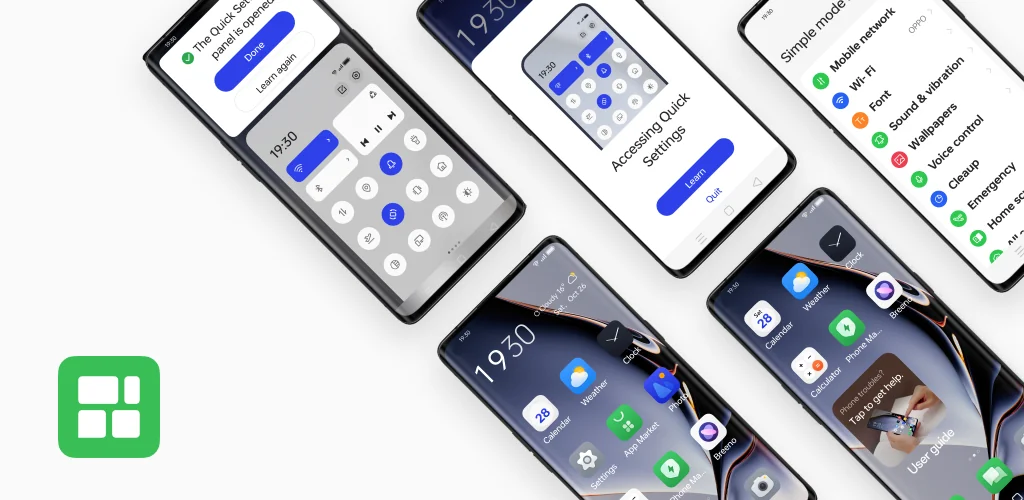

Simple mode app cover art for Android
Simple mode Icon

Simple mode APK for Android

ColorOS Original
1B+
Free
Aug 22, 2025

Make your phone simpler, clearer, and louder with just one tap

Download Simple mode APK 15.0.16 13MB

What is Simple mode?

Ever felt like your smartphone is a bit too… smart? With countless features and tiny icons, it can sometimes feel overwhelming, especially for older adults or anyone who prefers simplicity. What if you could get all the power of your Android phone, but with a super simplified, easy-to-see interface? That’s exactly what Simple mode does.

Simple mode is a feature built into ColorOS, the operating system on OPPO phones, designed to make using a smartphone feel effortless. Think of it as hitting the “easy button” for your device. The moment you activate it, your phone’s entire look and feel transforms. Suddenly, everything is bigger, louder, and clearer, removing the usual clutter and letting you focus on what truly matters.

It’s not just about looks, it’s about making every interaction easier. The simplified layout puts all the essential functions right at your fingertips. No more squinting to read messages or struggling to tap the right app icon.

Here’s a quick look at what makes it so helpful:

  • Enlarged Interface: Icons and text become much larger, making them incredibly easy to read and tap.
  • Increased Volume: Ringtones and notification sounds are amplified, so you won’t miss important calls or alerts.
  • Simplified Layout: The home screen is decluttered, showing only the core functions like calls, messages, and contacts.
  • Easy Navigation: It uses straightforward virtual buttons, making it intuitive to get around your phone.

Ready to rediscover the joy of stress-free smartphone use? Dive into your phone’s settings, find Simple mode, and experience a refreshingly simple way to stay connected.
Video of Simple mode
Screenshot Simple mode 1
Screenshot Simple mode 2
Screenshot Simple mode 3
Screenshot Simple mode 4

Download Simple mode APK for Android

What's New in Version 15.0.16

No official changelog provided for Simple mode version 15.0.16. This update likely includes general stability improvements and bug fixes.

Available Files

System Requirements

OS Version
Android 11 (R) or higher
Architecture
Varies by file (Which one do I need?)
Disk Space
~20 MB free space required
RAM
1 GB
Internet
Not required
Permissions (22)
  • Internet
  • Camera
  • Access Network State
  • Access Fine Location
  • Access Coarse Location

APK File Details

Package ID com.coloros.scenemode
Available on Google Play
Developer ColorOS
License Free ( No Ads)
Content Rating Everyone
Interface Language
26 languages

Chinese, Japanese, German, Thai, Hindi, Vietnamese, Korean, Arabic, French, Spanish, Italian, Russian, Portuguese, + 13 localizations

APK Verification & Virus Scan Results

No Virus Signature Verified Safe & Original

Virus scan: Clean (0/66) View report. This APK is free of malware and its signature matches the official developer release.

Show File Details (SHA-256, SHA-1, MD5)

SHA-1 Signature:

16ECBD5BFA0C9601D5D469DC2AE49939C5406CFC

SHA-256 Hash:

e11fe19a99f78b95932a6418c578b1cea5301a0e4c2cd48df7b9024b29b86a8f

MD5 Checksum:

5c94589894798ffc4cdb0bbba8714a57

Frequently Asked Questions

Is Simple mode safe to download?

Yes, Simple mode is safe to download. The APK is scanned on every update — no malware or viruses detected. You can verify the full scan report in the Security section above.

How to install Simple mode APK on Android?

Download the APK using the button above. Then open the file and tap Install. If prompted, enable "Install from unknown sources" in Settings → Security. The process takes under a minute. Read more

What Android version does Simple mode require?

Simple mode requires Android 11 (API 30) or higher. Optimized for Android 15 (API 35).

Is Simple mode free?

Yes, this app is completely free to download and use.

How to update Simple mode to the latest version?

Download the latest APK from this page and install it over your existing version — no need to uninstall first. Your data and settings will be preserved. We update the file as soon as a new version is released.

Does Simple mode require Root access?

No root is required for basic use. Simple mode works on standard Android for CPU info, RAM, battery, sensors, and network stats. Root unlocks a small set of advanced system parameters that Android restricts by default.

What processor architecture does Simple mode support?

Simple mode supports universal. If you are unsure about your device architecture, check the Device Info section on this page.

If you have found any issue or are having difficulty with this page, please .

User Reviews & Ratings

Global rating(Play Store): 3.77(24.2K)
Site Rating: 4.5(2)
Rate this app

4.50

12345

2

Share your experience with other users.