GRAVITY LAUNCHER VS Icon

GRAVITY LAUNCHER VS APK for Android

2M+
Free
Apr 11, 2024

Make Icons Obey Gravity

Download GRAVITY LAUNCHER VS APK 4.1 6MB

What is GRAVITY LAUNCHER VS?

GRAVITY LAUNCHER VS is the most innovative and unusual launcher you’ve ever seen. Indeed, the idea of ​​the developers to many users will seem akin to exotic, and the convenience of using the program’s functions for their intended purpose, according to reviews and comments of many users, is a big question. However, if you are not afraid of experiments and are ready to take part in the next one, then be sure to test this new product from the VS AndroApps studio.

After downloading and installing the GRAVITY LAUNCHER VS launcher as the default one, you can achieve an amazing and spectacular effect – all icons, folders and other elements on the desktop, after tapping on a special button, will instantly fall down, as if obeying the law of gravity, that is, gravity. No matter how you turn your smartphone or tablet, interface elements will fall into one big pile, causing bewilderment and big eyes in all strangers who are currently looking at the screen of your gadget.

In the GRAVITY LAUNCHER VS application settings, you can adjust the size of the icons, the speed of their “fall” (change the gravity model), hide applications that will not participate in this “madness”, change the main background, select widgets and so on. This version is free and therefore the amount of advertising in it is obscenely huge, but for only half a dollar you can get rid of the marketing misfortune – not such a high price for the original launcher, to which this product undoubtedly belongs.
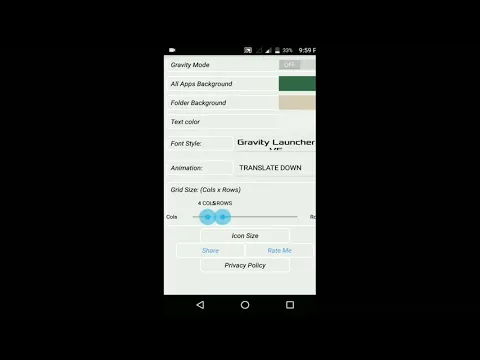
Video of GRAVITY LAUNCHER VS
Screenshot GRAVITY LAUNCHER VS 1
Screenshot GRAVITY LAUNCHER VS 2
Screenshot GRAVITY LAUNCHER VS 3
Screenshot GRAVITY LAUNCHER VS 4
Screenshot GRAVITY LAUNCHER VS 5
Screenshot GRAVITY LAUNCHER VS 6
Screenshot GRAVITY LAUNCHER VS 7

Download GRAVITY LAUNCHER VS APK for Android

What's New in Version 4.1

Bug Fixes
Added Privacy Policy
Improved Performance

Available Files

System Requirements

OS Version
Android 5.0 (Lollipop) or higher
Architecture
Varies by file (Which one do I need?)
Disk Space
~10 MB free space required
RAM
1 GB
Internet
Not required
Permissions (12)
  • Internet
  • Access Network State
  • Read Settings
  • Write Settings
  • Set Wallpaper

APK File Details

Package ID com.vs.gravity.launcher.free
Developer VS AndroApps
License Free
Monetization Contains Ads  
Interface Language
English +75

English, Japanese, German, Bulgarian, Thai, Hindi, Vietnamese, Ukrainian, Polish, Korean, Romanian, Arabic, French, Turkish, Czech, Spanish, Italian, Portuguese, Hungarian, Russian, Chinese, + 55 localizations

APK Verification & Virus Scan Results

No Virus Signature Verified Safe & Original

Virus scan: Clean (0/63) View report. The APK file is digitally signed.

Show File Details (SHA-256, SHA-1, MD5)

SHA-1 Signature:

41feb4600a70ee6440e8fc44c63e51b474b04523

SHA-256 Hash:

c6a533f00de912cd3f2443a2406d6a0445aec2b9244dc0dda98d7cb717eaaf2b

MD5 Checksum:

6dee02ec5fb958fe0f0531fb59df54e8

Frequently Asked Questions

Is GRAVITY LAUNCHER VS safe to download?

Yes, GRAVITY LAUNCHER VS is safe to download. The APK is scanned on every update — no malware or viruses detected. You can verify the full scan report in the Security section above.

How to install GRAVITY LAUNCHER VS APK on Android?

Download the APK using the button above. Then open the file and tap Install. If prompted, enable "Install from unknown sources" in Settings → Security. The process takes under a minute. Read more

What Android version does GRAVITY LAUNCHER VS require?

GRAVITY LAUNCHER VS requires Android 5.0 (API 21) or higher. Optimized for Android 14 (API 34).

Is GRAVITY LAUNCHER VS free?

Yes, it is free to use, but it is ad-supported.

What processor architecture does GRAVITY LAUNCHER VS support?

GRAVITY LAUNCHER VS supports arm64-v8a, armeabi, armeabi-v7a, x86, x86_64. If you are unsure about your device architecture, check the Device Info section on this page.

How to enable installation from unknown sources on Android?

Go to Settings → Security (or Settings → Apps → Special access on Android 8+) and enable "Install unknown apps" for your browser or file manager. On Android 8 and above this setting is per-app, not global. Read more

If you have found any issue or are having difficulty with this page, please .

User Reviews & Ratings

Global rating(Play Store): 3.54(8.9K)
Site Rating: 5(1)
Rate this app

5.00

12345

1

Share your experience with other users.