PDF Reader and Photo to PDF Icon

PDF Reader and Photo to PDF APK for Android

21M+
Free
Oct 8, 2025

PDF viewer and book reader app to convert image to pdf, open all file manager.

Download PDF Reader and Photo to PDF APK 1.3.9 53MB

What is PDF Reader and Photo to PDF?

Reading PDF files and converting photos to the same format are versatile tasks almost always needed by users. Some applications greatly simplify working with files and documents on digital devices. The PDF Reader and Photo to PDF application, designed for Android-based devices, can combine the functions of viewing PDF documents and simultaneously converting photos to PDF format. It is designed for quick and convenient execution of tasks related to processing digital and paper files.

Main functions and features of the application:

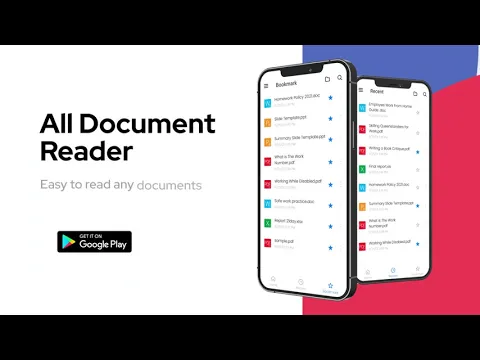
* Viewing and reading files in PDF format (Users can open files of any size, read them, browse pages, zoom in on text fragments, and highlight key parts of the document).
* Support for multiple formats: In addition to PDF, the program supports opening files in formats such as XLS, DOCX, PPT, and others.
* Document scanning capabilities: The application includes a built-in camera that allows you to photograph paper documents and immediately convert them to PDF. Convert photos, screenshots, or other images (such as JPEG or PNG) to PDF files
* File management: Using the application, you can collect files, share them with other users, and view a general list of stored documents.
* Image editing before conversion: cropping edges, rotating, adjusting brightness and contrast.
* PDF compression to reduce file size.

This application supports many different formats, which is useful when processing different types of documents. PDF Reader and Photo to PDF will help each user improve and increase the productivity of their mobile device and conveniently organize work with documents.
Also known as: PDF Reader & Photo to PDF
Video of PDF Reader and Photo to PDF
Screenshot PDF Reader and Photo to PDF 1
Screenshot PDF Reader and Photo to PDF 2
Screenshot PDF Reader and Photo to PDF 3
Screenshot PDF Reader and Photo to PDF 4
Screenshot PDF Reader and Photo to PDF 5
Screenshot PDF Reader and Photo to PDF 6

Download PDF Reader and Photo to PDF APK for Android

What's New in Version 1.3.9

No official changelog provided for PDF Reader and Photo to PDF version 1.3.9. This update likely includes general stability improvements and bug fixes.

Available Files

System Requirements

OS Version
Android 5.0 (Lollipop) or higher
Architecture
Varies by file (Which one do I need?)
Disk Space
~70 MB free space required
RAM
1 GB
Internet
Not required
Google Services
Required
Permissions (21)
  • Internet
  • Camera
  • Access Network State
  • Read External Storage
  • Write External Storage

APK File Details

Package ID com.pdf.editor.viewer.pdfreader.pdfviewer
Developer LG apps
License Free
Monetization Contains Ads  

APK Verification & Virus Scan Results

No Virus Signature Verified Safe & Original

Virus scan: Clean (0/65) View report. The APK file is digitally signed.

Show File Details (SHA-256, SHA-1, MD5)

SHA-1 Signature:

a6e52adf2396b839c997f3e642970401db90e59f

SHA-256 Hash:

2b513efd5acdebee9eedd99ad725ff0ee74fe0b030680a10aa74f8887348464f

MD5 Checksum:

89de3b8dbea9070b7b8dbefc2125e37a

Frequently Asked Questions

Is PDF Reader and Photo to PDF safe to download?

Yes, PDF Reader and Photo to PDF is safe to download. The APK is scanned on every update — no malware or viruses detected. You can verify the full scan report in the Security section above.

How to install XAPK file?

XAPK is a split APK package. Standard Android installer cannot open it directly. Use 'SAI' or 'XAPK Installer' — they handle XAPK files automatically. Download the installer, open the XAPK file with it, and follow the on-screen steps. Read more

What Android version does PDF Reader and Photo to PDF require?

PDF Reader and Photo to PDF requires Android 5.0 (API 21) or higher. Optimized for Android 16 (API 36).

Is PDF Reader and Photo to PDF free?

Yes, it is free to use, but it is ad-supported.

What processor architecture does PDF Reader and Photo to PDF support?

PDF Reader and Photo to PDF supports arm64-v8a. This build does not support x86/x86_64 processors, so it will not run on most PC emulators. If you are unsure about your device architecture, check the Device Info section on this page.

How to enable installation from unknown sources on Android?

Go to Settings → Security (or Settings → Apps → Special access on Android 8+) and enable "Install unknown apps" for your browser or file manager. On Android 8 and above this setting is per-app, not global. Read more

If you have found any issue or are having difficulty with this page, please .

User Reviews & Ratings

Global rating(Play Store): 4.23(59.7K)
Site Rating: 5(1)
Rate this app

5.00

12345

1

Share your experience with other users.