What is Document Reader: PDF & Office?
Document Reader: PDF & Office is a document viewer and office productivity tool that opens PDF, Word, Excel, PowerPoint, TXT and CSV files in one place. No switching between five different apps just to check a spreadsheet or print a report.
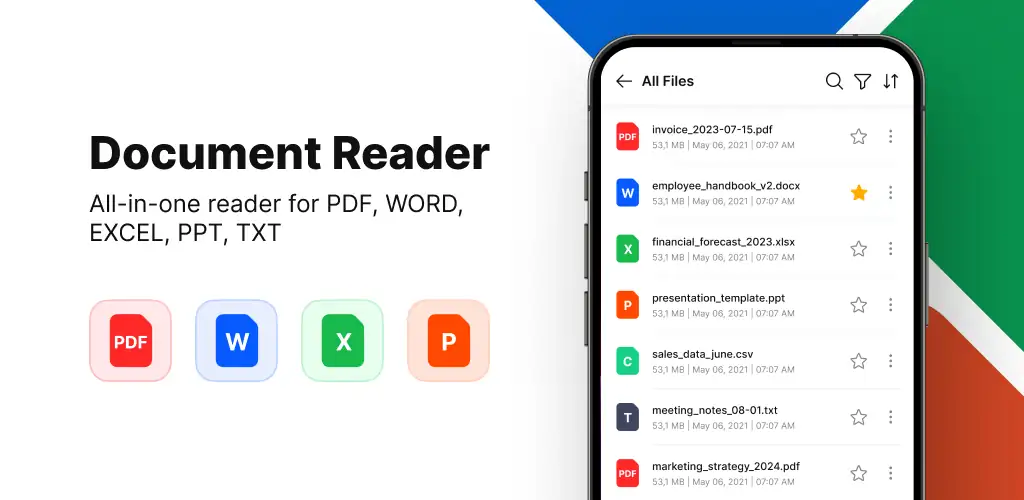
Open the app and it sorts straight into a file list, pulled from your device storage. Tap a document and it loads in a viewer tuned to that format, so a PDF behaves like a PDF and an XLSX sheet scrolls like a spreadsheet. On PDFs specifically, you get a toolbar for marking up the page: draw, highlight, underline, strike through text. There's no internet required for any of this, so a student on a train or an office worker without signal can still pull up a contract or a lecture slide deck.
Key Features
Format coverage
- Handles PDF, DOC, DOCX, XLS, XLSX, PPT, PPTX, TXT and CSV without needing separate apps for each.
- Keeps every file readable offline, so a dead wifi connection doesn't block your work.
Document handling tools
- Marks up PDFs with annotation, drawing, highlighting, underlining and strikethrough.
- Turns a camera shot into a document through scan to PDF, plus image to PDF and merge PDF.
- Sorts and filters your library by name, size, date or file type, with a favorites shortcut for the files you open daily.
Finding and organizing files
Search is built around what you'd actually look for: a filename, a type, a date. Favorites puts the documents you reopen constantly, say a timesheet or a syllabus, one tap away instead of buried in a folder list. The merge and scan tools sit in the same screen as the viewer, so turning a stack of paper into one PDF doesn't send you hunting for a different app.
Other document reader and viewer apps
Adobe Acrobat Reader leans on cloud-based collaboration and sticks closer to the industry-standard PDF workflow. WPS Office goes further into actual document creation, with word processing and spreadsheet editing built in. Document Reader: PDF & Office stays lighter: its focus is fast viewing and basic PDF markup rather than building full documents from scratch, which suits anyone who mainly needs to read and annotate rather than author.
Students juggling lecture PDFs and office workers checking spreadsheets on the move get the most out of this one. It won't open a ZIP, RAR or 7Z archive, and you'll need a separate extractor app for those before Document Reader: PDF & Office can read what's inside.



Share your experience with other users.